Clipster
Your friendly neighbourhood app.
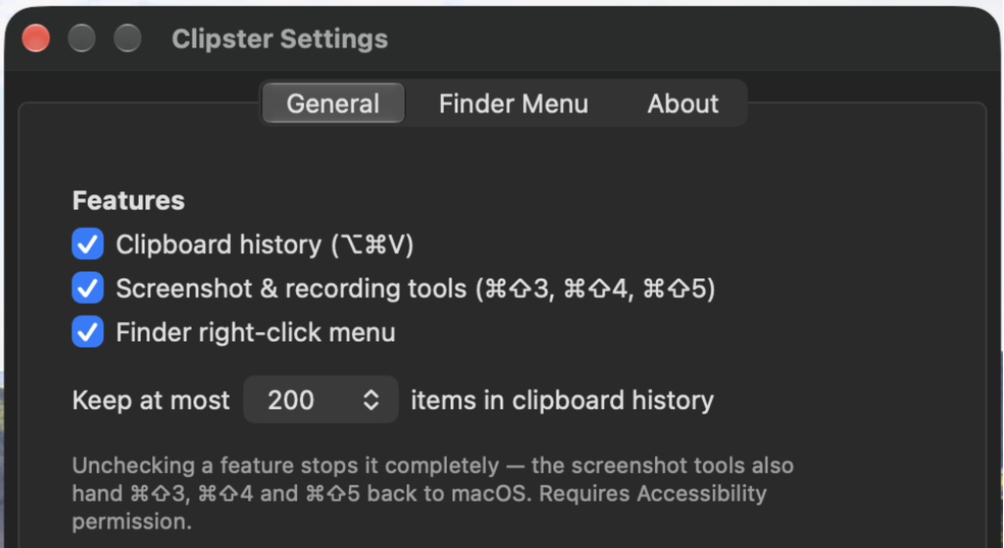
Settings. Every feature is optional.
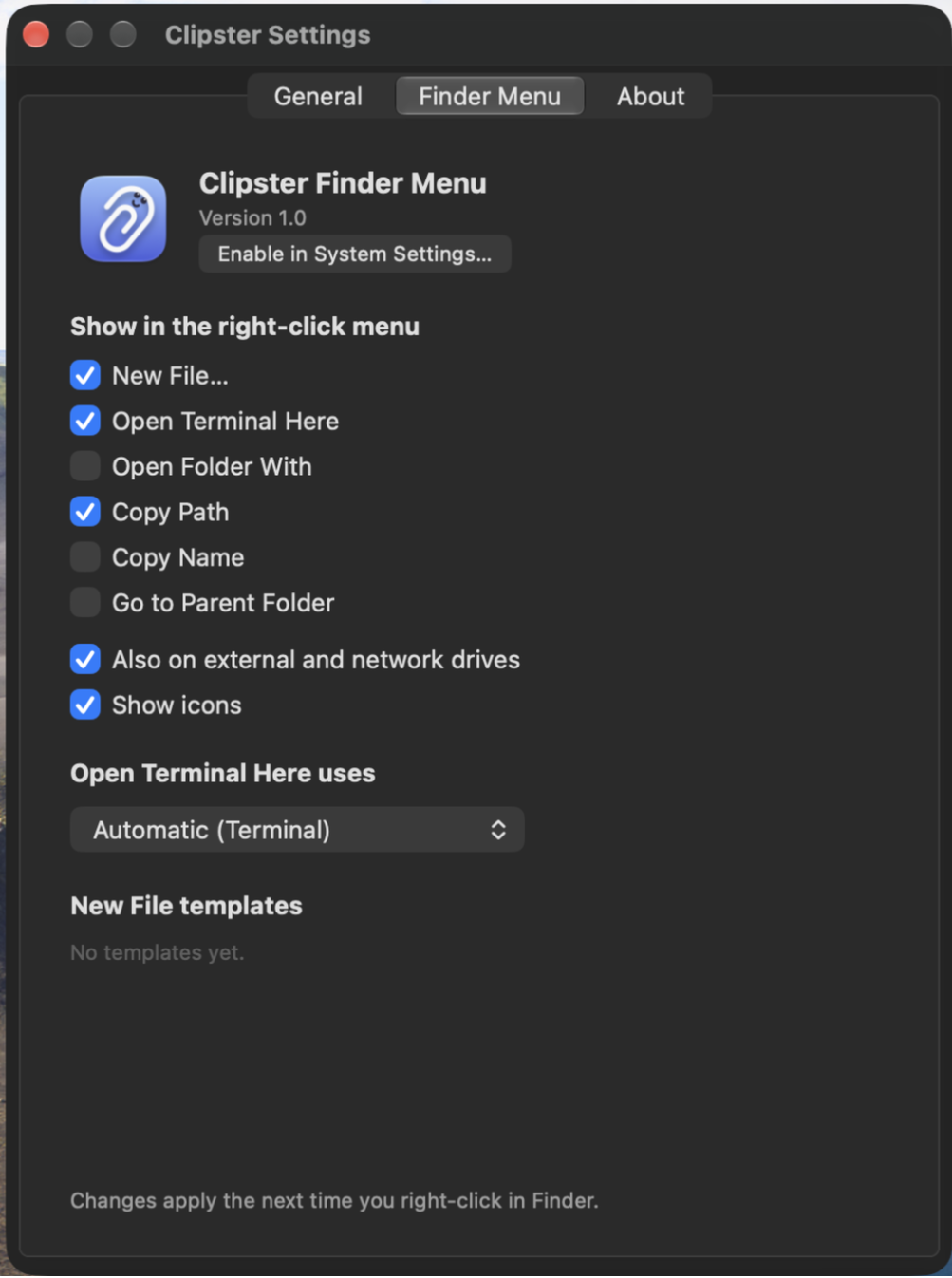
Choose what options are available for the new Secondary Click menu.
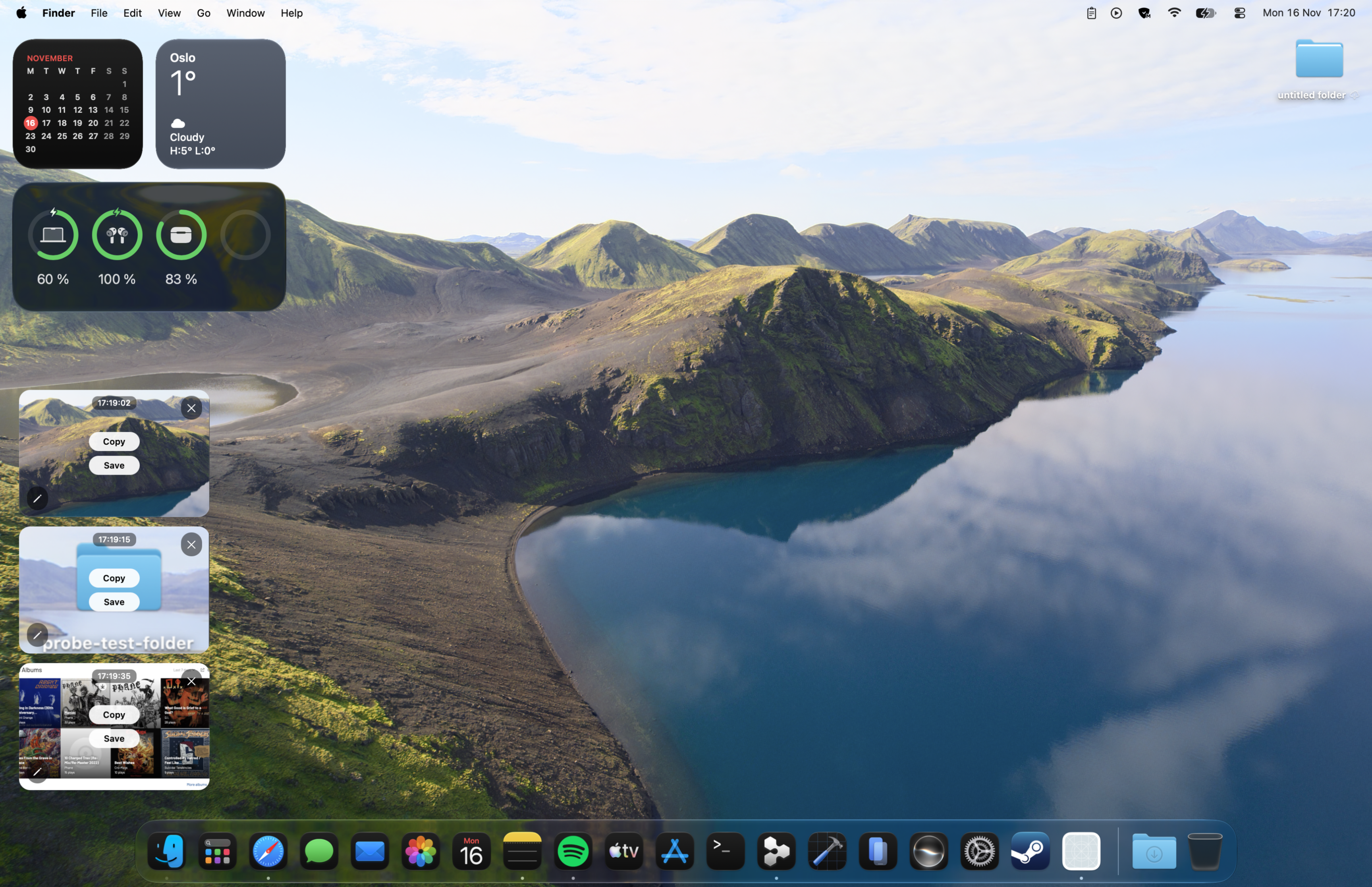
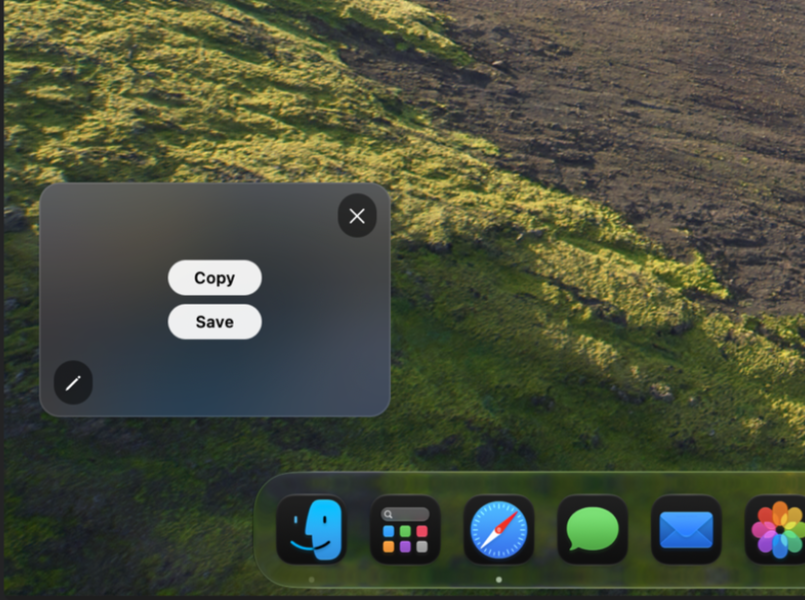
The Preview Stack shows any unsaved screenshots you have taken. Either copy, save or delete them.
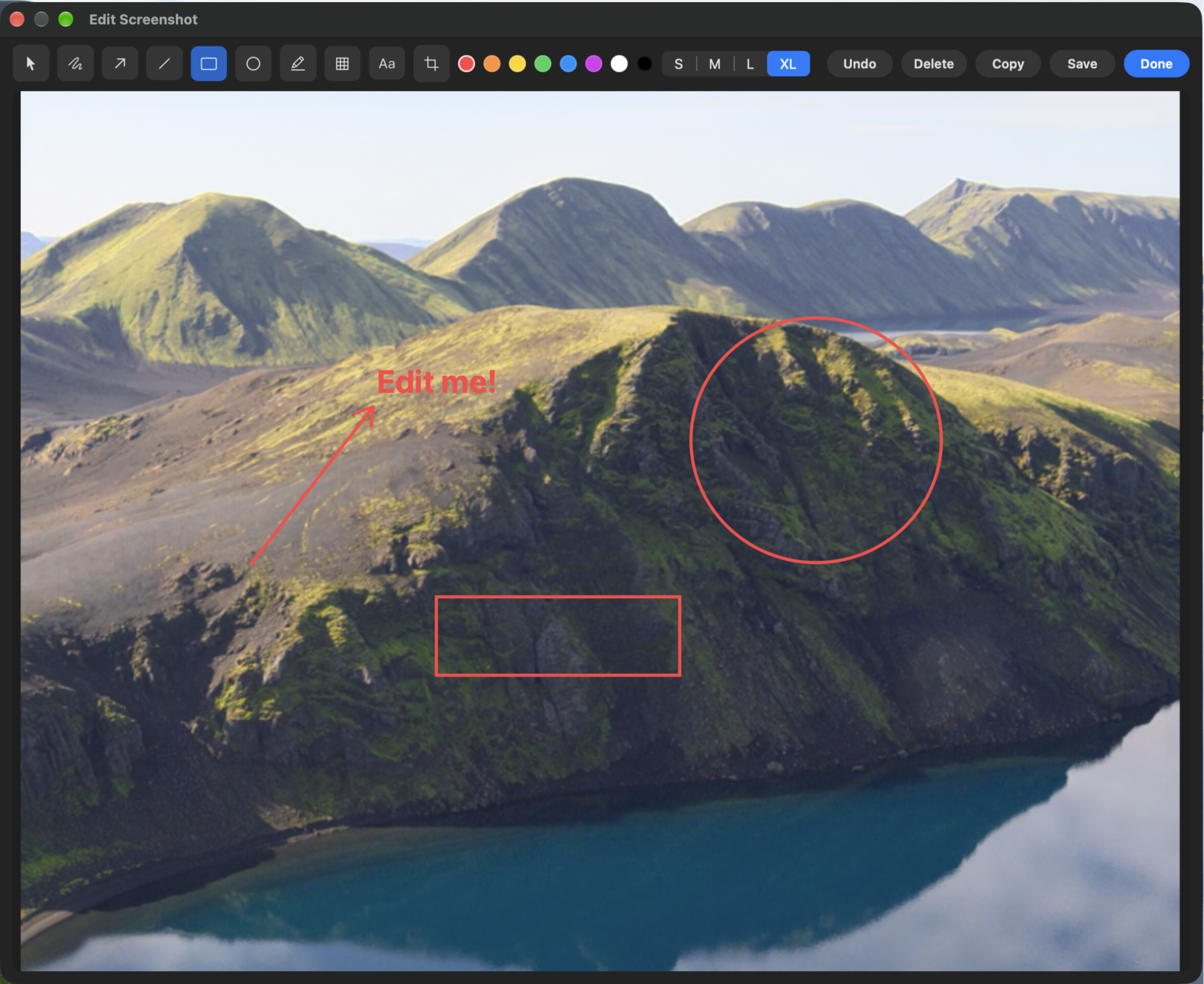
Click the edit button to edit any screenshots you have taken.
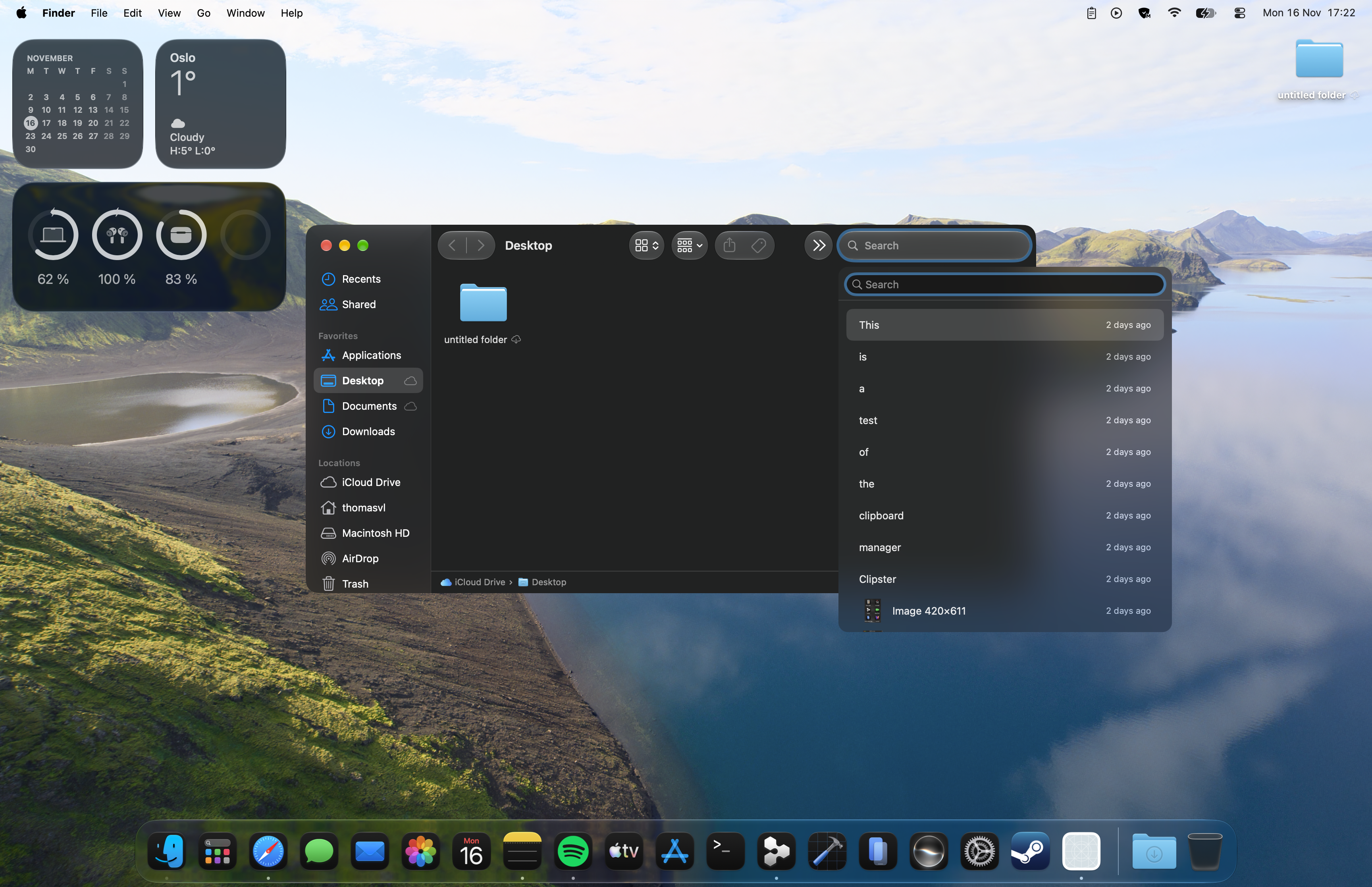
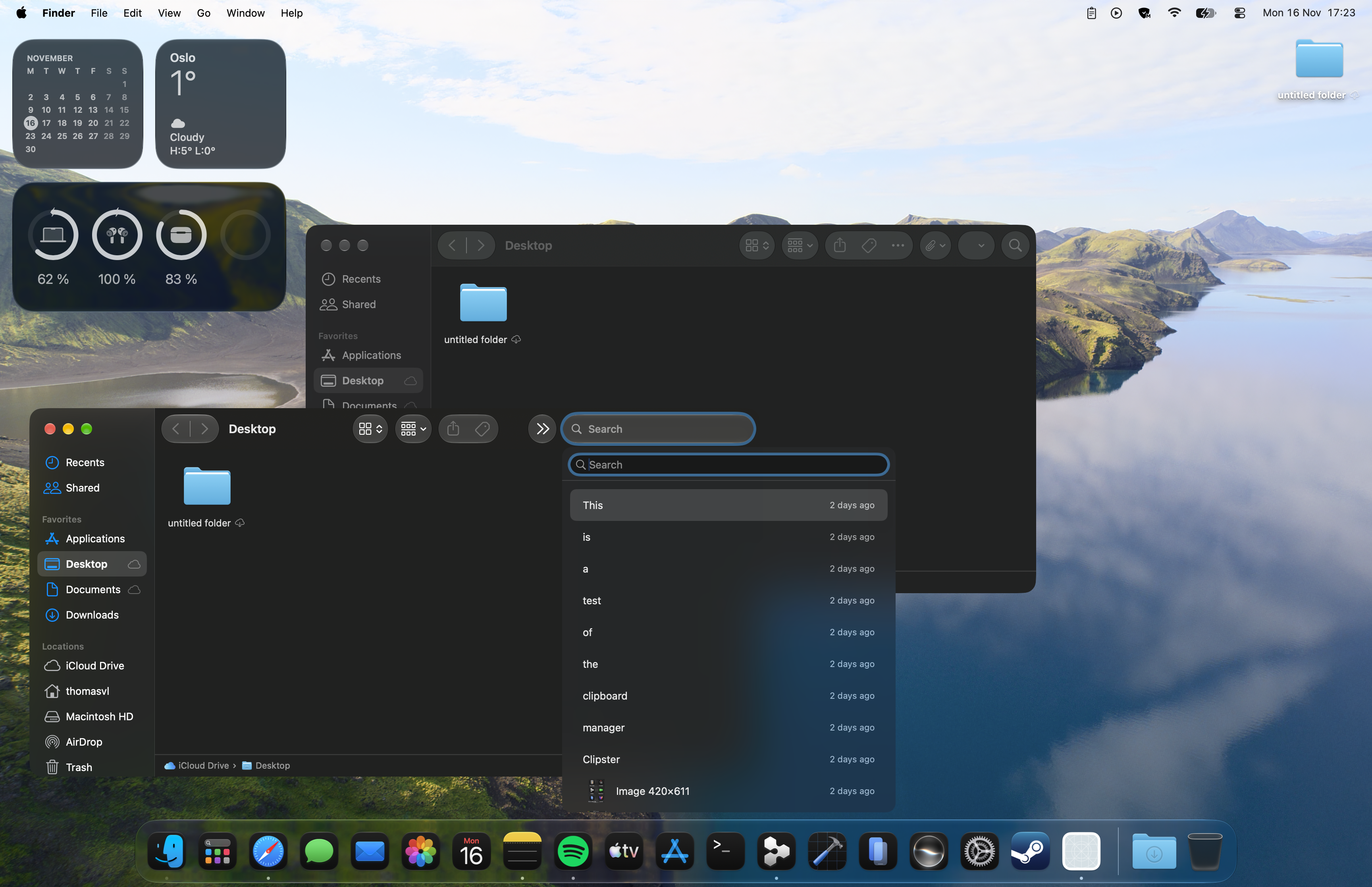
The clipboard manager makes it easy to paste any text, image or GIF you have copied. Up to 1000 saved entries can be kept in the clipboard.
The clipboard automatically animates close to whatever text field is active when invoked.
Edit, copy, save or discard.
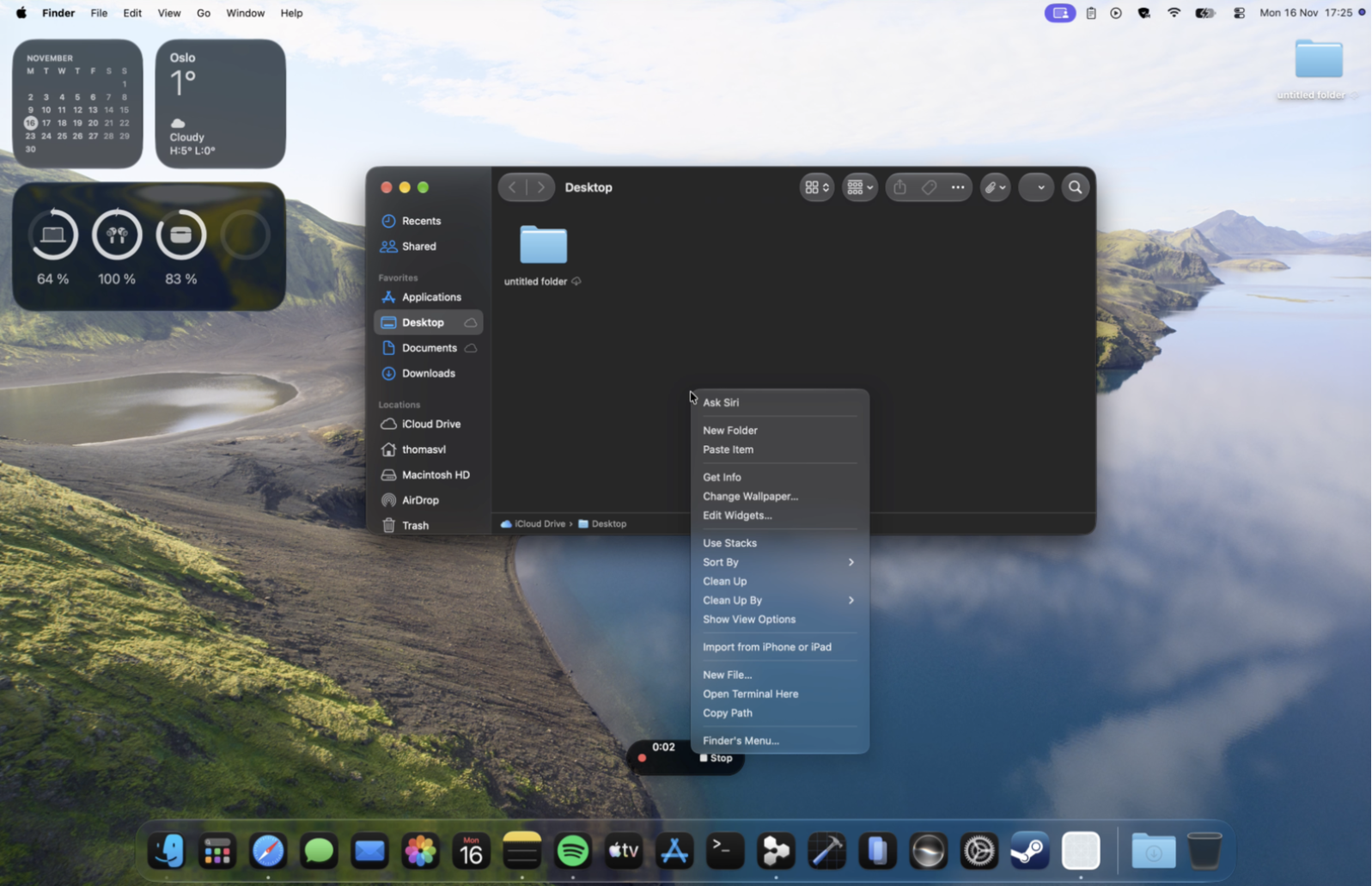
The new Secondary Click menu.
Clipster is a small macOS menu-bar utility that quietly fixes three things you do dozens of times a day: copying, capturing, and right-clicking. It remembers everything you copy and brings it back with ⌥⌘V. It stacks your screenshots and screen recordings in a preview you can mark up, trim, and share before they ever hit a folder. And it extends Finder's right-click menu with the actions Apple left out. One app, always running, no subscription, no cloud — your data never leaves your Mac. Completely free.
It's free and open source.
Features
Clipboard Manager
Clipster remembers everything you copy — text, images, filenamess, GIFs — newest first. Hit ⌥⌘V, pick an entry, and it pastes straight into the app you're working in.
Screenshots & Recording
Capture with the shortcuts you already know — ⌘⇧3, ⌘⇧4, ⌘⇧5. Shots and recordings land in a preview stack where you can mark up, trim, copy, or delete — your Desktop stays clean.
Finder Tools
Right-click any folder — even iCloud Drive or the desktop — for New File, Copy Path, Open Terminal Here, and Open Folder With. It's the native menu, just with more in it.
Clipster started from a simple observation: the Mac is great, but three everyday workflows are stuck in 2005.
The clipboard remembers one thing. Copy a second item and the first is gone forever. Clipster keeps a real history — everything you copy, newest first — and summons it with ⌥⌘V wherever your cursor is. Select an entry and it pastes into the active app, so you never re-copy the same link, address, or snippet twice. Images and GIFs show real previews, retention is configurable, and everything lives locally on your disk.
Screenshots pile up on the Desktop. macOS drops every capture as a file you later have to open, crop, annotate, and file away. Clipster takes over ⌘⇧3, ⌘⇧4, and ⌘⇧5 and sends every capture — still or recording — to a preview stack instead. Mark up an arrow, blur a secret, trim a video, copy it straight to the clipboard, or delete it without ever touching the Desktop folder.
Finder's right-click menu is missing the obvious. Why can't you create a text file from a right-click? Copy a folder's path? Open Terminal here? Clipster adds exactly those items — and it works on your Desktop and inside iCloud Drive, where Finder's own services menu doesn't even appear. It mirrors the full native menu, Liquid Glass styling and all, with the Clipster actions nested alongside.
All of it is optional and configurable — clipboard history, capture tools, and Finder integration can each be switched off independently. Clipster is one small app that sits in your menu bar, stays out of the way, and makes the Mac feel like it finally shipped the obvious stuff. Oh, and it is free.